This article contains the TF200 Series Shark™ TurboBlade Fan FAQs. This supports the following models: TF200, UT205, TF202C, TF202S and TF202SWH.
General Questions
How to assemble my fan?
What features does my fan come with?
Why is telescoping not working?
Some models do not have the telescoping capability - please see your Quick Start Guide for more information. The TF200 model does not have telescoping, while the UT205, TF202S, TF202SWH, TF202C, and TF202SC do have telescoping capabilities.
For models that do have telescoping capabilities, the unit will come with tape on the pole to help in the assembly process that needs to be removed before use. Please ensure that the tape has been removed.
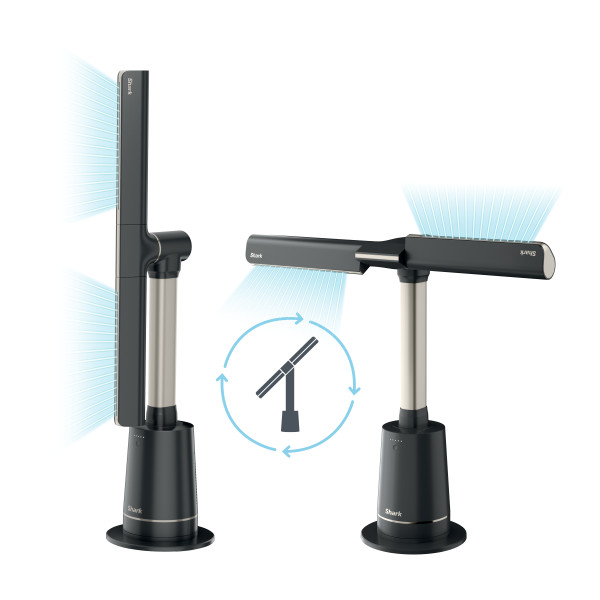
How can I pivot from vertical orientation to horizontal orientation?
To pivot from vertical to horizontal, manually grip one end of the fan and move the fan to the desired orientation.
Why are the fan blades not moving/tilting?
Make sure that the blade has been firmly placed onto the unit. While keeping the other side of the fan stable, push the blade against the pole until there is no gap between the blade and the pole.
Why is the fan unsteady?
Why has the airflow gotten less powerful over time?
You may need to clear out the Dust Defense filter - excessive Dust Defense debris could result in an impact to performance. For cleaning instructions, click here.
Can I operate my fan without a remote?
You can turn the unit on/off and change the speed without a remote - to turn the unit on, press the button on the front of the base.
To adjust the speed, hold the button down until the fan speed starts to change and keep holding until it hits the desired speed.
Otherwise, the TurboBlade is designed to be used with a remote. If you've lost or misplaced your remote, you can order a replacement here.
- Once you receive a replacement, see "I just purchased a new remote. How do I get it to work?" below for steps on how to pair your new remote.
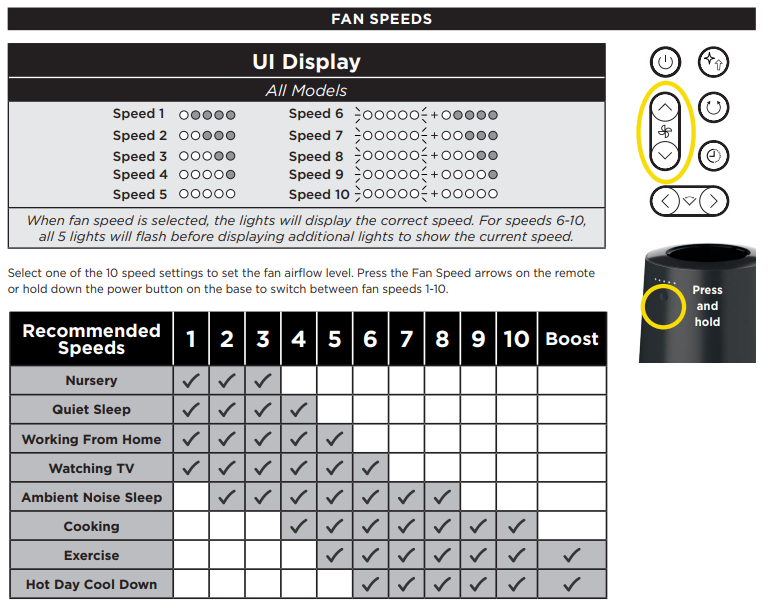
How many speeds does my fan have? How can I tell what speed my fan is on?
The TurboBlade Fan has 10 speeds which can be changed with the remote or by pressing and holding the button on the base. Use the chart below to tell what speed your fan is currently set to.
UI/Settings
Why is oscillation not working?
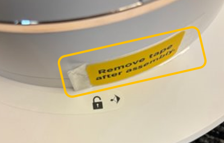
The unit will come with tape on the base to help in the assembly process that needs to be removed before use. Please ensure that the tape has been removed from the base.
Where do I put the remote?
You can magnetically store the remote on the top of the pole where the sticker has an outline of the remote.
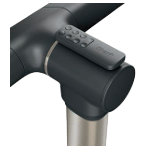
Why is my fan changing speeds on its own?
You may have selected natural breeze mode, which changes speeds automatically to simulate natural wind. To deactivate a specialty mode, click the fan icon button to change fan speeds or the button in the top right corner of the remote.
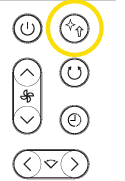
Why is the remote not working?
When using the remote control, make sure it is pointed directly at the lights on the front of the fan.
You may need to pair the remote to your fan. To do this, plug the unit in but do not power it on. Then, hold down the button on the front of the fan base for 20 seconds, or until the lights on display flash so that the first and fifth lights are lit.

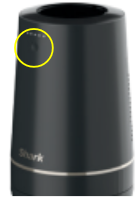
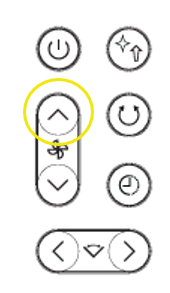
Then, press and release the speed up arrow on the remote.
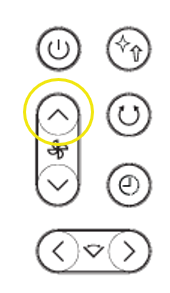
If the remote is not working, you may need to change the batteries.
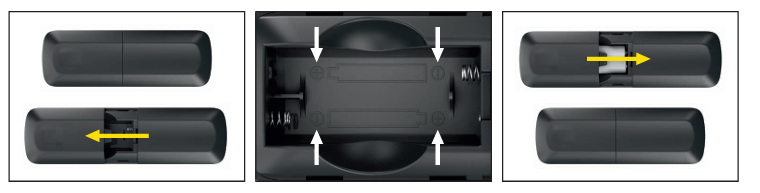
I just purchased a new remote. How do I get it to work?
First, add the included AAA batteries to the remote - detailed instructions on battery replacement are in the digital instructional booklet.
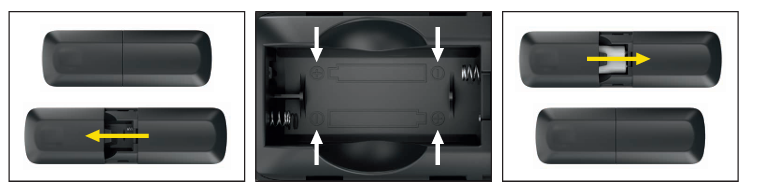
Then, you will need to pair a new remote to the unit. To do this, plug the unit in but do not power it on. Then, hold down the button on the front of the fan base for 20 seconds, or until the lights on display flash so that the first and fifth lights are lit.

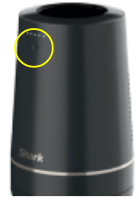
Then, press and release the speed up arrow on the remote.
Why are the lights dim?
You may have selected sleep mode, which dims the lights. To turn it off, press the top right button until it is deselected.
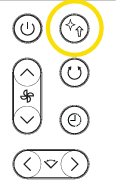
Why did my unit turn off on its own?
You may have selected the timer, which will automatically turn the unit off after 1 to 12 hours. To deselect timer, press the timer button until no lights are displayed.
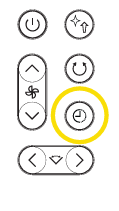
How do I disable beeping / chiming?
Hold down the timer and oscillation buttons on the remote at the same time for 3 seconds to disable chiming. Repeat to re-enable.
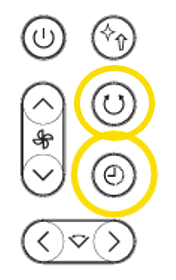
How do the UI lights work?
The 5 lights on the base will turn on to signifiy different functions of the fan. When speed is adjusted, the lights will change to represent speed, when oscillation is adjusted, the lights will change to represent oscillation angle, etc. In all cases, the lights will turn off after 20 seconds.
Cleaning and Maintenance
How often should I clean the fan / Dust Defense filter?
1. Remove the Dust Defense panel from the unit by gently pulling on the finger tab. Note: the mesh filter does not need to be removed from the Dust Defense panel.
2. Use a vacuum cleaner on low speed with a soft brush attachment OR a cloth/towel to remove debris from the Dust Defense panel and the internal mesh screen. Do NOT use abrasive chemical cleaners.
3. (OPTIONAL) If debris is stuck in between the mesh filter and the Dust Defense panel, the mesh filter can be removed by gently pulling the mesh filter out of the tabs on the Dust Defense panel. Rinse the mesh filter and Dust Defense panel with room temperature tap water. Be sure to completely dry the screen and panel for 12 hours before reinstalling. Do NOT use the fan when the mesh filter is wet.
4. Replace the Dust Defense panel by inserting the tabs on the bottom of the panel into the indents on the unit and pushing the panel inwards until it clicks into place.

How do I clean the exterior of my fan?
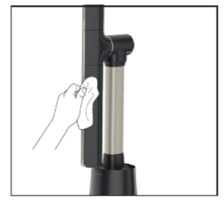
To clean external unit, wipe down the exterior with a microfiber cloth dampened with warm, soapy water. Avoid excess water and abrasive chemical cleaners to prevent damage.
Disassembly
How do I disassemble my fan?
Please note the blades cannot be removed once locked into place.
To remove the pole from the base:
- Twist the fan base counterclockwise (you should hear a clicking noise) until it won’t turn any further.
- Insert a small flat head screwdriver into the slot on the base (pictured below) and press in toward the center of the pole to unlatch.
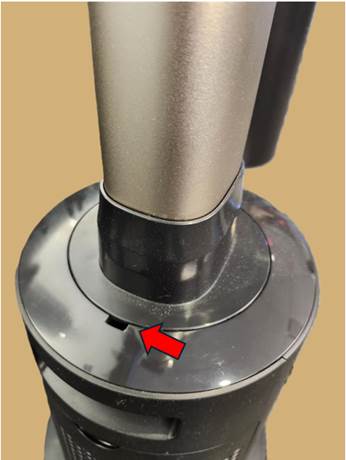
- While clip is unlatched, rotate pole counterclockwise and lift to remove.
To remove the base plate from the base:
- Carefully lift the unit upside down
- Insert a flathead screwdriver to lift the latch pictured below
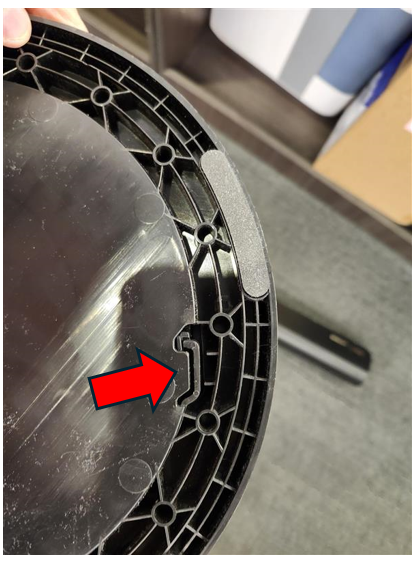
- Rotate the base plate counterclockwise until it detaches from the base.